संग साथीsomeone who stays by your side

You're not alone on the way home.

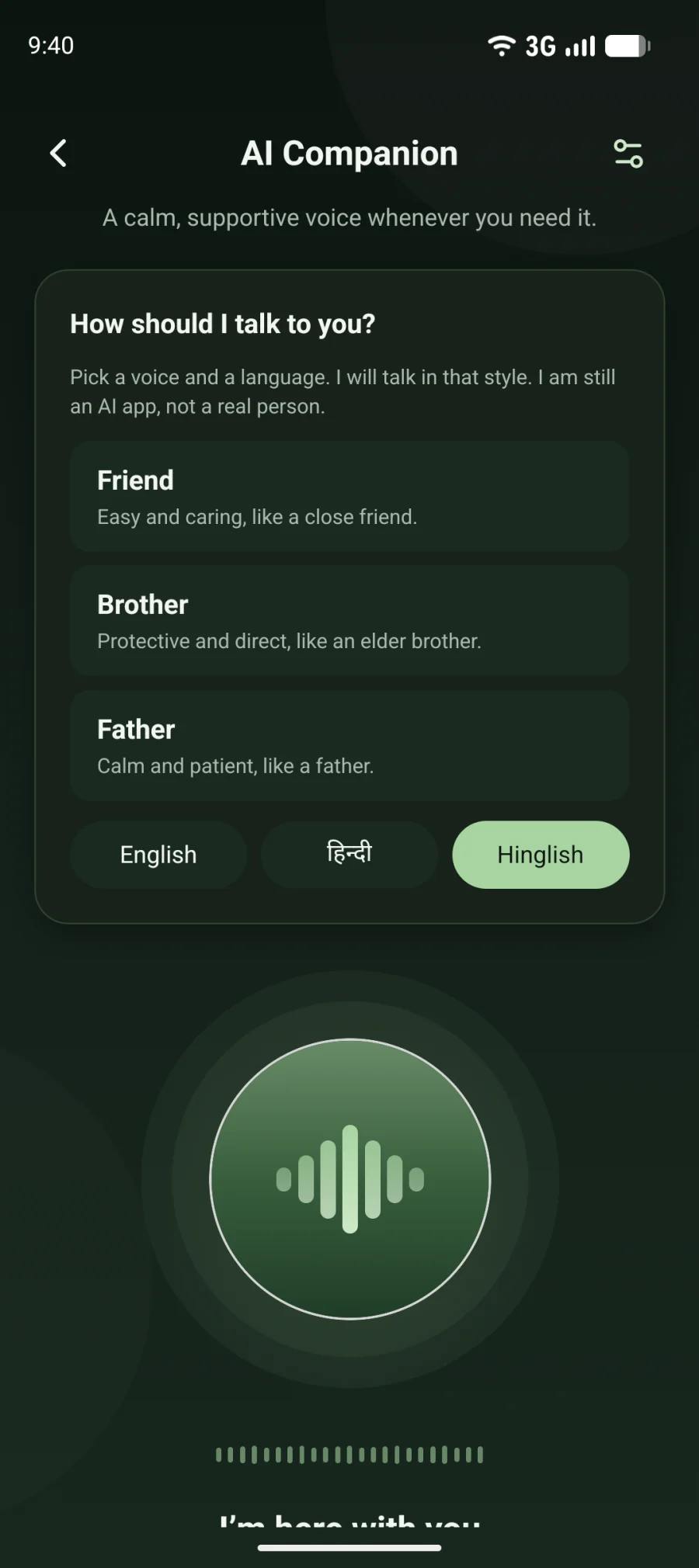
The AI Companion asking how it should talk: like a friend, a brother or a father
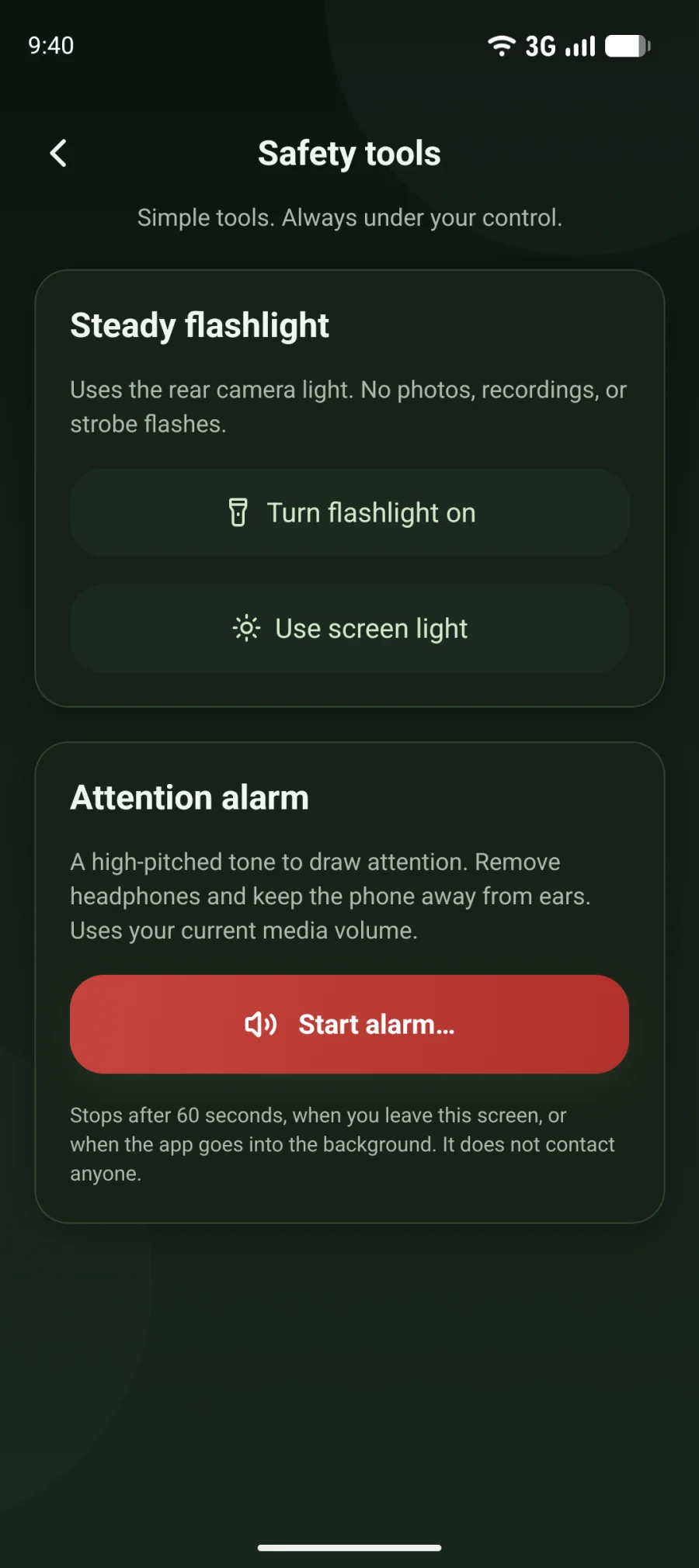
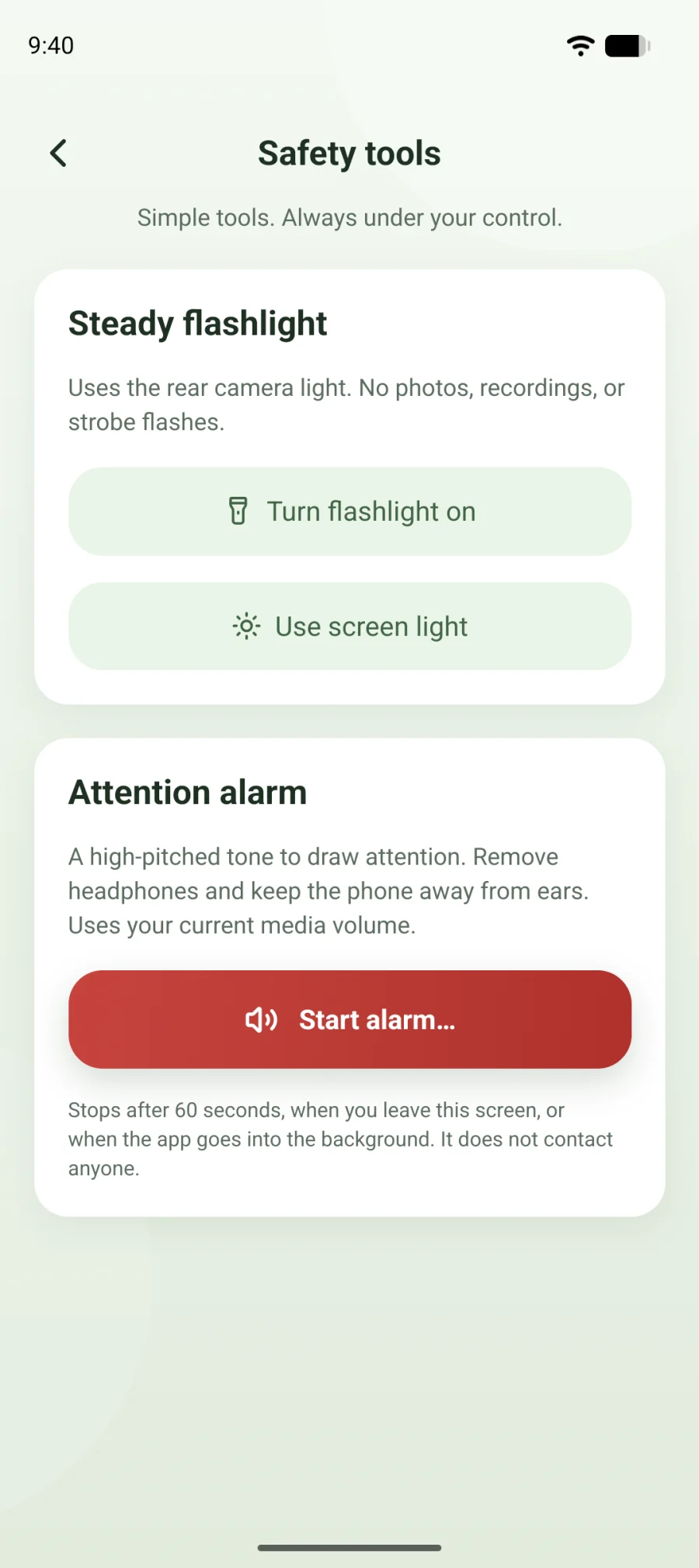
Safety tools with a steady flashlight and an attention alarm
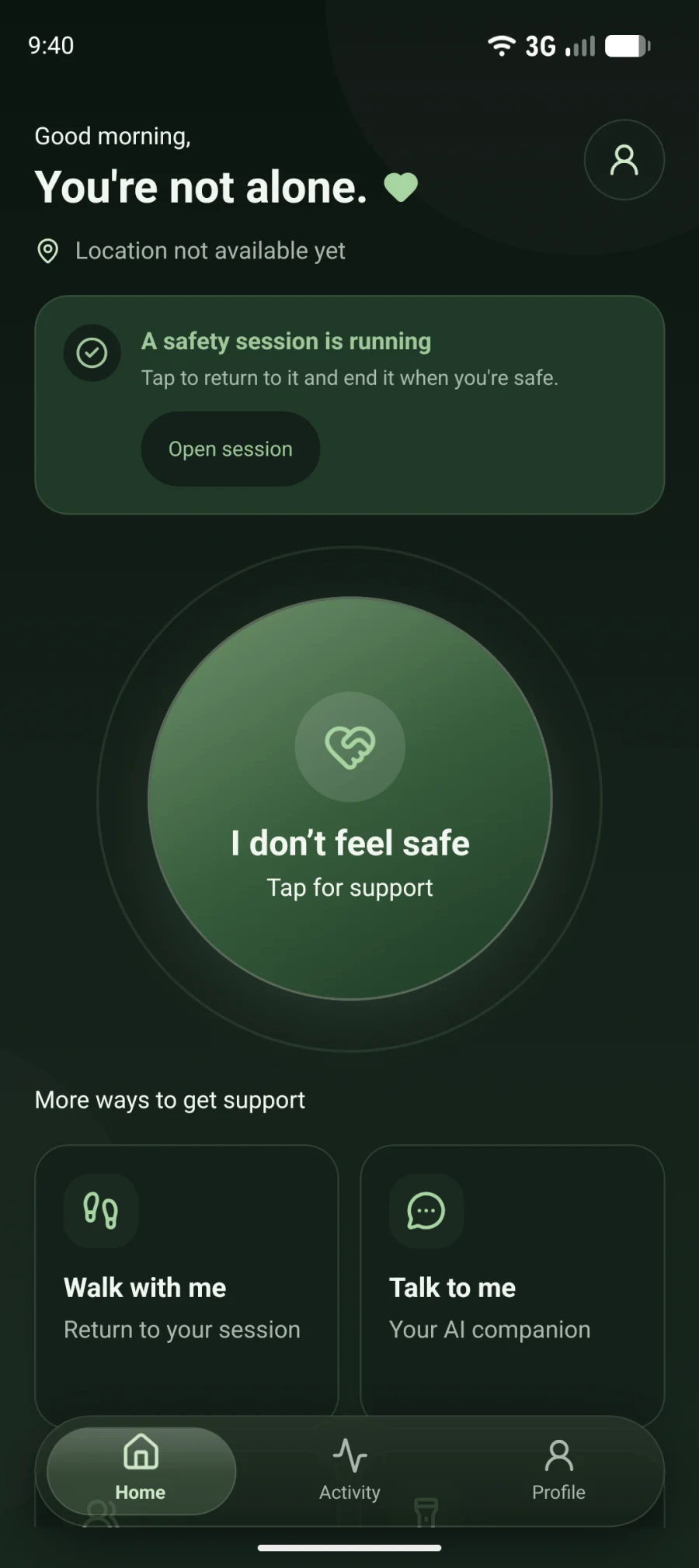
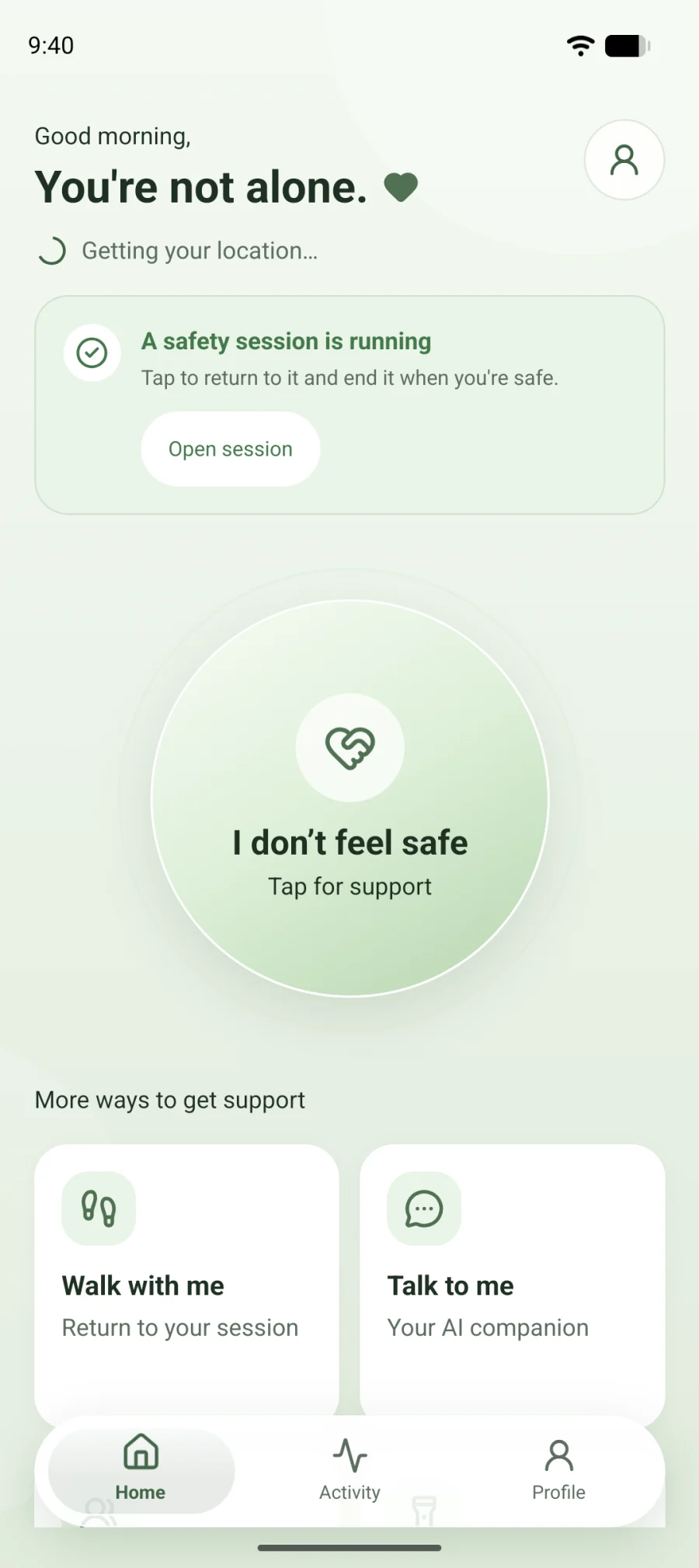
The SangSaathi home screen with a large I don't feel safe button

SangSaathi is a safety app for the late cab, the dark lane and the long walk back. Tap once to call for help, send your location, or talk to a calm voice until you feel okay.

The voice speaks English, हिंदी and Hinglish.

Talk to me

A voice on the line, the way you want it.

Sometimes you just need someone to talk to. The AI companion listens and talks back. First it asks how it should sound: like a friend, a brother or a father. Then it talks that way, in your language.

Voice
Language

The first thing it says

“Arre, kaise ho? Sab theek hai? Batao, kya hua?”

Protective and direct, like an elder brother.

It is an AI voice inside the app. It won't pretend to be a real person, and it won't tell you help is on the way.

The AI Companion screen with Friend, Brother and Father voices and a language choice

How it helps

Everything close. Nothing without you.

SangSaathi works through your phone's own dialer, SMS app and share sheet. You see what will happen before it happens.

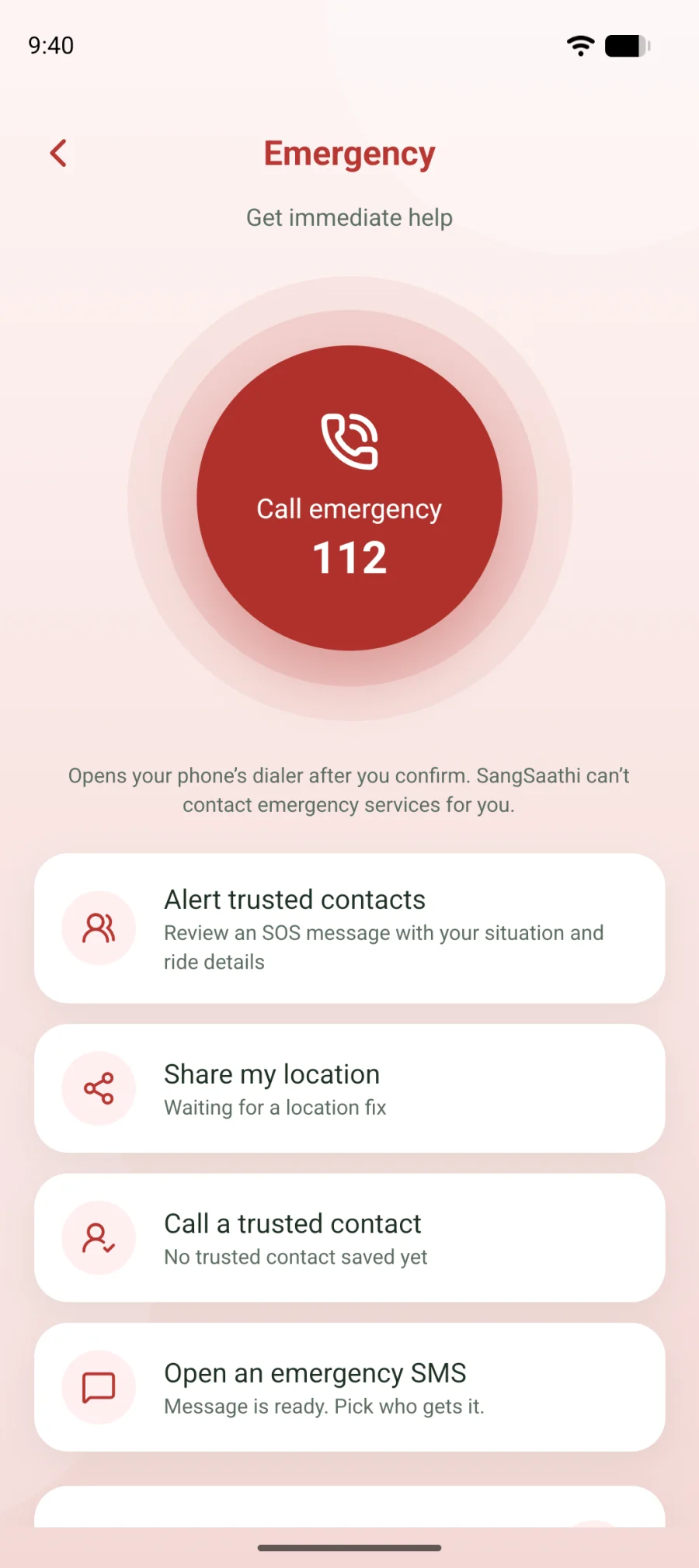
The Emergency screen with a button to call 112, alert trusted contacts, share location and send an SMS

I don't feel safe

Help in one tap.

Press the big button on the home screen. You get large, clear buttons for the moment you are in, so you don't have to think.

  • Call 112, India's emergency number
  • Call a person you trust
  • Send your location by SMS or any app
The home screen during a walk, showing that a safety session is running

Walk with me

Company for the walk home.

Start a walk before you leave. The app keeps time and keeps your emergency buttons one tap away. Home reminds you a walk is running until you end it.

If you allow it, your location keeps updating when the phone is in your pocket.

Safety tools: a steady flashlight, a screen light and an attention alarm

Safety tools

A torch, an alarm and a firm voice.

Light up a dark path. Sound a loud alarm to get attention. Or play a father's voice on speaker when a ride doesn't feel right.

“मुझसे बात करते रहो।”
“Keep talking to me.” You choose if the voice says only true things, like your cab number, or a made-up script. The app tells you which one you picked.
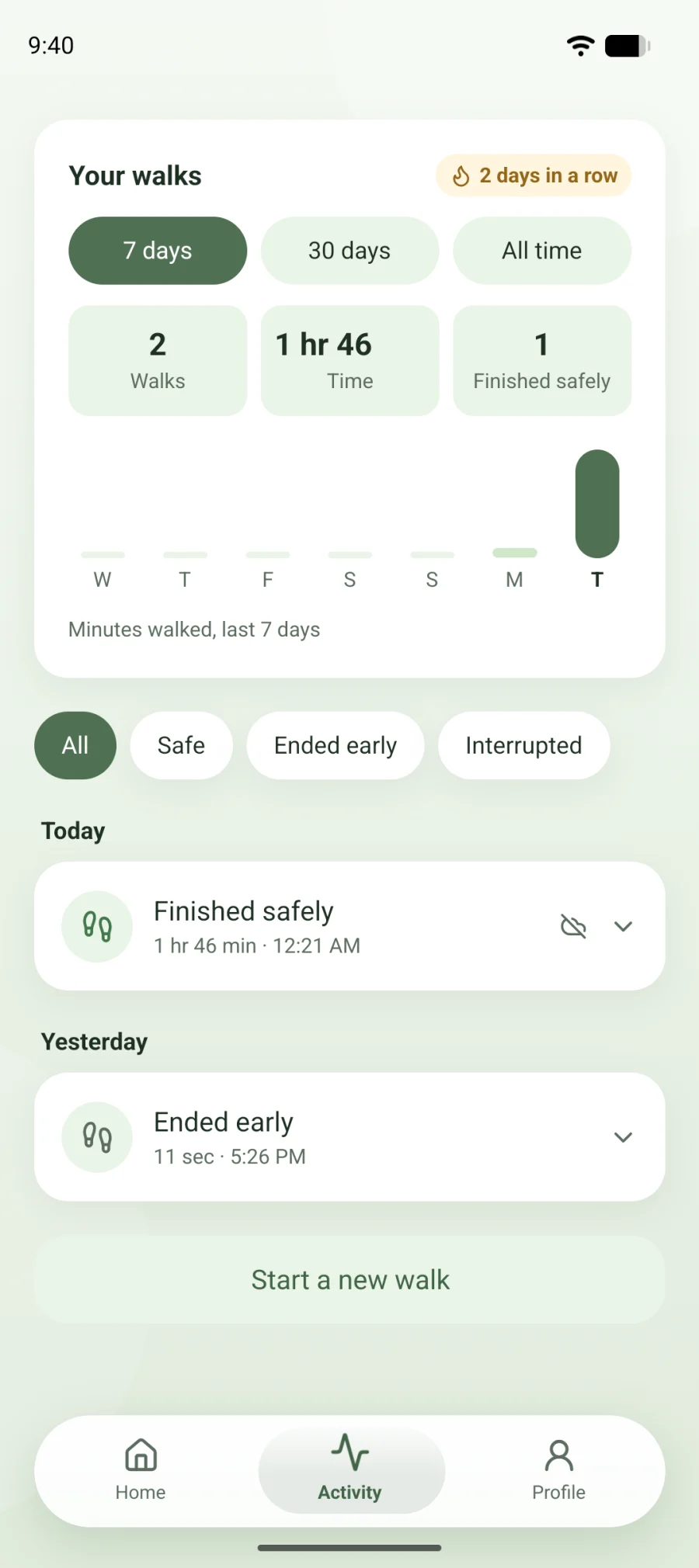
Your walks: number of walks, time spent and how each walk ended

Your walks

Every walk, in one place.

See how many walks you took, how long they lasted and how each one ended. Open a walk to see where it started, or share a short summary with family.

Sign in to keep your history.

Honest by design

It never pretends.

A safety app should tell you the truth, even when a comforting lie would feel better.

No fake alerts
It never says someone was told unless you sent the message yourself.
You press call
It opens your dialer or SMS app with everything filled in. You decide when to send.
No hidden recording
It does not record around you. The microphone is used only when you talk to the companion.
Your location, your call
Your location leaves the phone when you share it, when you talk to the companion so it knows where you are, and when a walk is saved to your account.

112 SangSaathi supports you but does not replace emergency services. If you are in danger, call 112.

Questions

Before you download.

Still unsure about something? Write to support@sangsaathi.com.

Does SangSaathi call the police for me?

No. It opens your phone's dialer with the emergency number ready, and you press call. In India that number is 112. SangSaathi can't contact emergency services by itself.

Is the voice a real person?

No. It is an AI voice. You can make it sound like a friend, a brother or a father, but it is still the app, and it will say so if you ask.

Which languages does it speak?

English, Hindi and Hinglish. You pick one when you choose the voice, and you can change it any time.

Does it work without internet?

Calls and SMS need mobile signal, not internet. Your walk and your location work offline too. The AI voice needs an internet connection.

Do I need an account?

No. The emergency screen, calls, SMS and location sharing work without signing in. Sign in to talk to the AI companion and to keep your walk history.

How do I get help with the app?

Write to support@sangsaathi.com. Tell us your phone model and what happened.

Get SangSaathi

Keep it on your phone. Hope you never need it.

Scan the code or tap the button to get SangSaathi for Android.

Scan to open this page on your phone